If you are looking for a clear hardware wallet explained guide, start here: a hardware wallet is a dedicated physical device designed to generate and store private keys offline and to approve (sign) cryptocurrency transactions without exposing those keys to your everyday computer or phone. It is one common form of consumer “cold” or near-cold storage—not a magic vault, and not a substitute for careful habits.
This article is educational only. It is not financial, legal, tax, investment, or product-recommendation advice. Cryptocurrency involves significant risk, including permanent loss from scams, malware, user error, physical theft, supply-chain tampering, exchange failures, or market volatility. No device brand is endorsed here as the “only” or “best” choice. Always verify details from primary sources and consider qualified professional guidance before making decisions about money or security.
What a hardware wallet is (and is not)
In plain language, a hardware wallet is a signing device. Your coins and tokens still live as entries on public blockchains. The device holds the secrets—private keys—that prove you are allowed to move those assets. When you want to send crypto, companion software on a computer or phone usually prepares an unsigned transaction; the hardware wallet signs it after you confirm details on the device; then the signed transaction is broadcast to the network.
That model is why educators often group hardware wallets with cold storage concepts. Keys spend most of their life offline. The companion app may be online, but the private keys are meant to stay inside the device’s protected environment.
A hardware wallet is not:
- A guarantee that you cannot be scammed
- Insurance against sending funds to the wrong address
- A free pass to ignore phishing, malicious mail, or fake “support”
- The same thing as leaving assets on an exchange account
- Automatically safer than every software wallet in every situation
U.S. investor-education materials from the SEC’s Office of Investor Education and Assistance emphasize that wallets store keys (or passcodes), not the assets themselves, and that self-custody places security responsibility on you. Hardware wallets sit squarely in that self-custody world for most consumer products.
How a hardware wallet works, step by step
A beginner-friendly mental model looks like this:
- Key generation — During setup, the device creates strong random material and derives wallet keys from it. Many devices present a seed phrase (recovery phrase) so you can restore access if the device is lost or broken.
- Offline key storage — Private keys remain on the device rather than in ordinary files on your laptop or phone.
- Transaction preparation — Wallet software builds the transaction (amount, destination, network fees, and related data).
- On-device review — You verify critical details on the hardware wallet’s own screen.
- Physical confirmation — You approve with buttons, a touchscreen, or similar controls on the device.
- Signature return — The device returns a signature—not the raw private key—to the companion software for broadcast.
The security value comes from reducing how often private keys touch malware-prone environments. It does not remove the need to understand what you are approving.
Hardware wallet explained vs hot wallets and exchange accounts
People often compare three everyday options:
Hot wallets run on internet-connected phones, browsers, or desktops. They are convenient for smaller, frequent activity and more exposed to remote malware and phishing that targets the device itself.
Hardware wallets keep keys on dedicated hardware and typically require physical confirmation. They reduce certain remote key-theft risks when used correctly.
Custodial exchange or brokerage accounts hold spending authority for you. You usually log in with passwords and multi-factor authentication. Convenience can come with counterparty risk: platform breaches, insolvency, freezes, or policy limits can affect withdrawals. Protections vary; do not assume crypto balances are insured like conventional U.S. bank deposits unless a specific, verified protection applies.
None of these categories is automatically “correct.” The better question is whether the tool matches your amounts, skills, threat model, and willingness to manage backups yourself.
Why beginners consider hardware wallets
Common reasons people explore a cold storage device include:
- Holding amounts they would rather not leave on an exchange long term
- Wanting keys offline while still being able to send occasionally
- Reducing exposure to everyday computer malware that steals software-wallet keys
- Preferring physical confirmation before funds move
Those benefits only appear when purchase, setup, backup, and daily use are handled carefully. A poorly sourced or poorly configured device can create a false sense of safety.
Who typically needs one—and who might wait
A hardware wallet is not a required first step for every learner. Some people begin with small amounts on a regulated U.S. platform while they study custody concepts. Others create a software wallet only to learn interfaces before they ever buy a device. Waiting can be rational if you are still unclear about seed phrases, recovery, or how irreversible sends work.
A hardware wallet becomes more relevant when:
- You plan to self-custody amounts whose loss would be financially painful
- You want a clearer separation between everyday browsing devices and spending keys
- You are ready to maintain offline backups and physical device hygiene
- You understand that support desks cannot “reset” a lost seed phrase the way a bank resets a password
If you are not ready for that responsibility, forcing a purchase can create more risk than it removes—especially if you store the seed phrase insecurely or skip on-device verification. Education first, then tools.
Buy new from official channels (supply-chain basics)
One of the highest-impact beginner rules is simple: buy new hardware wallets from the manufacturer’s official store or a reseller the manufacturer clearly lists as authorized. Avoid used devices from strangers, auction listings with unclear history, “too good to be true” discounts, and packages that arrive unexpectedly.
Why this matters at a high level:
- A device that has passed through unknown hands could have been tampered with.
- Pre-initialized devices, altered packaging, or “helpful” recovery cards included by a seller are classic red flags.
- Official channels make it easier to confirm you received a genuine product and current packaging expectations.
Manufacturer guidance commonly stresses tamper-evident packaging and buying through official or authorized paths. Treat secondhand “bargains” as high risk for self-custody beginners. If a seller pressures you to restore their seed phrase, stop—that is not a normal new-device setup.
Also be careful with mail and delivery scams: unexpected packages, fake shipping notices, or “replacement wallet” emails can be social-engineering hooks. Confirm any outreach through official support channels you navigate to yourself—not links inside unsolicited messages.
Seed phrase: verify on the device screen
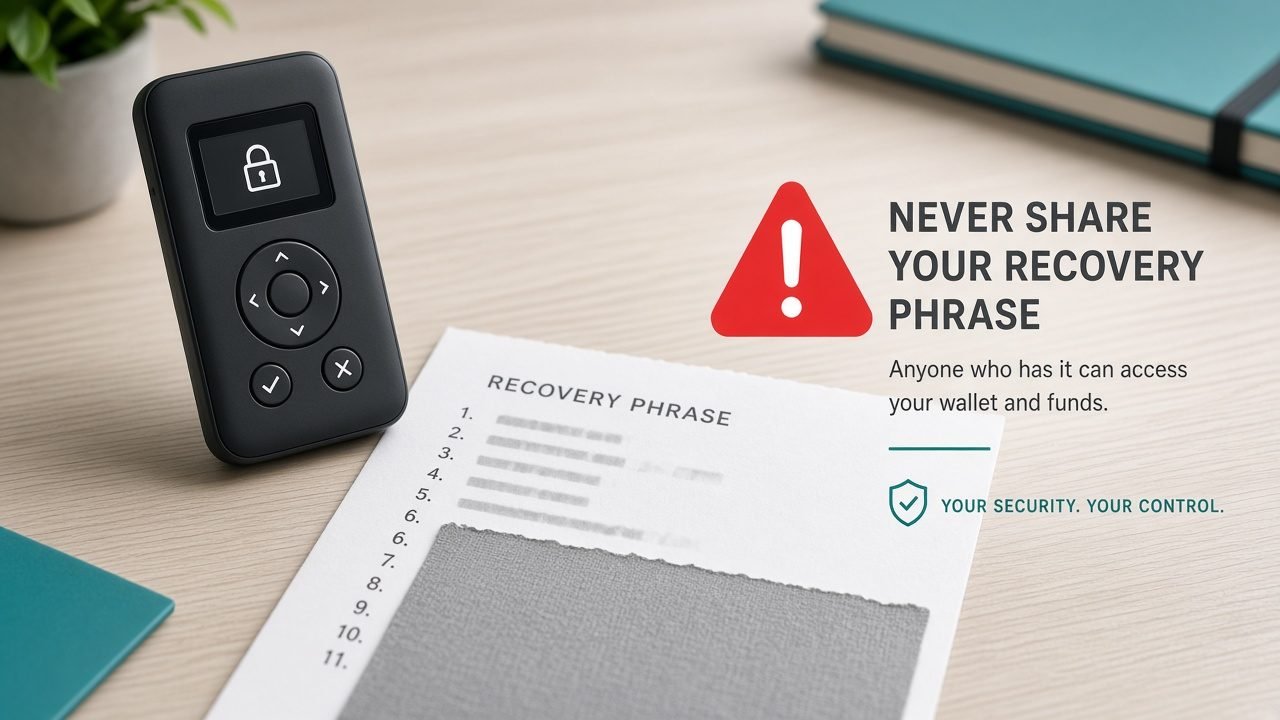
During initialization, most hardware wallets show a recovery phrase (often 12, 20, or 24 words, depending on design and standard). That phrase can recreate the wallet. Anyone who obtains it can typically move the assets—often without needing your physical device.
Critical beginner habits:
- Confirm the phrase on the device’s own screen, not on a computer pop-up, phone screenshot request, or website form that asks you to “verify” words online.
- Write the words in exact order on the backup materials you control. Paper is a common starting point; some people later consider more durable offline backups. The principle is offline and private.
- Never type the seed phrase into a website, chat app, email, cloud note, or “support ticket.”
- Never photograph it or store it in password-manager notes marketed for everyday logins unless you fully understand the threat model—and most beginners should simply keep it offline.
- Legitimate companies and support agents will not need your full seed phrase to “fix” an account, “unlock” a wallet, or “validate” a shipment.
If the companion computer asks you to enter the entire seed phrase during ordinary setup of a new device, pause and consult official documentation for that product. Normal flows emphasize generating and displaying the phrase on the hardware itself so malware on the PC cannot silently capture it.
U.S. investor education materials stress a related rule in plain English: protect your seed phrase, store it securely, and do not share it with anyone.
Phishing, fake sites, and mail-based social engineering
Hardware wallets reduce some malware risks around key storage, but attackers adapt. High-level awareness matters:
- Phishing websites and ads imitate official shops or companion apps. Bookmark official URLs after verifying them through multiple reputable references; be skeptical of sponsored search results.
- Fake support may contact you by email, social media, or messaging apps after you ask a public question. Real support does not need your seed phrase.
- Malicious attachments and “invoice” emails can deliver malware that tampers with what your computer displays—even if keys stay on the device. Always read the destination address and amount on the hardware screen, not only on the PC.
- Unexpected mail (USB devices, “wallet upgrades,” gift packages) can be traps. Do not plug unknown devices into machines you use for crypto.
- Airdrop and giveaway scams may request wallet connections or signatures that drain funds. A hardware wallet still signs whatever you approve.
CISA advisories on cryptocurrency-targeted malware have long warned users to verify download sources and treat trojanized crypto applications as a real threat. The same caution applies to companion software: prefer official sources, verify what you install, and keep systems patched.
What hardware wallets help protect against
When set up and used carefully, a hardware wallet can meaningfully reduce:
- Routine remote theft of private keys from a compromised laptop or phone file system
- Casual malware that scrapes software-wallet keystores on internet-connected devices
- Blind signing on a computer alone, if you consistently verify details on the trusted device display
- Some phishing that only steals typed passwords, because spending still requires the physical device (and PIN/passphrase practices you configure)
These are relative improvements—not absolute shields.
What hardware wallets do not protect against
This section is as important as the benefits list. User error and social engineering remain possible.
A hardware wallet generally does not protect you if you:
- Reveal your seed phrase to a scammer, website, or “recovery assistant”
- Approve a malicious transaction (wrong address, malicious contract interaction, deceptive smart-contract approval)
- Buy a tampered or preconfigured used device
- Lose your only backup of the seed phrase (device failure then means permanent lockout)
- Use a weak PIN and leave the device unattended where someone can try repeatedly (product PIN policies vary; physical security still matters)
- Connect to fake companion apps that trick you into unsafe workflows
- Fall for address-display attacks on the computer and fail to check the device screen
- Share how much you hold and become a physical-theft or coercion target
- Ignore network/asset selection mistakes (sending a token on the wrong chain can still mean loss)
- Enable advanced features you do not understand, such as optional passphrases, without a tested recovery plan—misplacing an extra passphrase can permanently lock funds even if the base seed backup is perfect
In short: the device protects keys from many remote grabs; it does not protect you from authorizing the wrong thing or from handing over the backup that recreates those keys. Security theater—buying a device, then pasting the seed into a “portfolio tracker” website—can be worse than never buying the device at all.
Hardware wallet setup basics (high-level checklist)
Exact menus differ by brand and model. Use official manuals. At a beginner level, safer setup usually includes:
- Purchase new from official or manufacturer-authorized channels.
- Inspect packaging for tamper evidence described by the manufacturer.
- Install companion software only from official sources; verify you are not on a lookalike site.
- Initialize as a new wallet on the device—do not restore a phrase that arrived in the box from a seller.
- Record the seed phrase from the device screen onto offline backup materials you control; verify the words carefully.
- Set a PIN (and understand any optional passphrase features before enabling them—lost passphrases can permanently lock funds).
- Update firmware using official instructions when appropriate.
- Practice a small test (hypothetical learning approach): after you understand risks, some learners send a tiny amount they can afford to lose entirely, confirm receive addresses on the device screen, then confirm they can review transaction details before approving larger transfers.
- Store backups privately and durably; plan who could access them if you become unavailable (inheritance is a separate serious topic).
- Separate roles: keep software used for trading convenience distinct from long-term storage practices when amounts grow.
Do not rush setup while distracted. Social-media urgency is a common scam ingredient.
Choosing among devices without brand worship
This guide intentionally avoids naming one product as the sole recommendation. When you compare options later, evaluate categories of questions rather than influencer slogans:
- Does the manufacturer publish clear official purchase channels?
- Does the device have a readable screen for verifying addresses and amounts?
- How does backup and recovery work, and do you understand it?
- Which assets and networks are supported—and what happens if you pick the wrong network?
- How are firmware updates delivered and authenticated?
- What is the company’s disclosure and support posture?
- Are you comfortable with the physical size, battery/cable needs, and daily workflow?
Open-source designs, secure-element chips, air-gapped workflows, and multi-share backups are examples of features some users value. Features are tradeoffs, not trophies. Match the device to your skills and amounts.
Practical habits after you own one
Owning a hardware wallet is an operational lifestyle, not a one-time purchase:
- Verify receive addresses on the device when depositing meaningful amounts.
- Prefer verifying full destination addresses (or careful chunk checks) on-device before sending.
- Keep the device firmware and companion app within official update guidance.
- Be wary of browser extensions and “WalletConnect”-style sessions you do not fully understand.
- Do not treat DeFi yield tabs, wrapping tools, or “earn” features as part of basic cold storage; they can introduce contract and approval risks.
- Reassess your setup if your holdings grow or your threat model changes.
Putting the explanation to work
With hardware wallet explained in practical terms: it is a dedicated offline key-storage and signing device that can reduce certain remote key-theft risks when bought new from official channels, initialized correctly, backed up privately, and used with on-device verification. It will not save you from seed-phrase disclosure, careless approvals, supply-chain shortcuts, or backup failure.
If you remember five points, remember these:
- Hardware wallets manage keys and signatures; blockchains record balances.
- Buy new from official or manufacturer-authorized channels.
- Confirm seed phrases and transaction details on the device screen.
- Phishing, fake support, and malicious mail still work if you cooperate with them.
- User error remains possible—protection is partial, not absolute.
Move at the speed of understanding. Treat every unexpected package, urgent email, and seed-phrase request as hostile until proven otherwise through official documentation you navigate to yourself.
Frequently Asked Questions
1) What is a hardware wallet in one sentence?
A hardware wallet is a dedicated physical device that stores private keys offline and signs cryptocurrency transactions after you confirm details on the device, without exposing those keys to your everyday computer or phone the way a typical software wallet might.
2) Do hardware wallets store my coins inside the device?
No. Balances and ownership records live on blockchains. The device stores keys (and related secrets) that authorize transfers of those on-chain assets.
3) Are hardware wallets the same as cold storage?
They are a common consumer form of cold or near-cold storage because keys remain offline most of the time. “Cold storage” can also include other offline methods. Labels matter less than whether private keys stay isolated and whether your backups are secure.
4) Should I buy a used hardware wallet to save money?
Generally no for beginners. Prefer new devices from official manufacturer stores or clearly authorized resellers. Unknown custody history raises tampering and preconfiguration risks.
5) Why must I read the seed phrase on the device screen?
The device screen is meant to be the trusted display. If a compromised computer shows the phrase or asks you to type it into a website, malware or phishing can capture it. Official setup flows emphasize generating and viewing recovery words on the hardware itself.
6) Can a hardware wallet stop me from being phished?
Not completely. It can make remote key theft harder, but you can still be tricked into revealing a seed phrase, installing fake software, or approving a harmful transaction. Always verify URLs, ignore seed-phrase requests, and confirm addresses on-device.
7) What if I lose the device but still have my seed phrase?
In typical self-custody designs, you can restore to a compatible new device using the correct recovery phrase (and any passphrase you enabled). Test your understanding with manufacturer docs before you rely on large balances. If you lose the phrase and have no other backup, recovery may be impossible.
8) Is this article recommending a specific brand?
No. This article explains concepts and safer habits. It does not designate any single brand as the only or best hardware wallet.
9) Is this financial advice?
No. This article is for general education only and does not recommend buying, selling, holding, or storing any asset.